
When fieldwork is running smoothly but the back office is still waiting
2026-09-09 | 11 min Digitization
The service technician completes the service call. The customer signs the report. The sales representative confirms the order. A worker inspects the equipment. From the field technician's perspective, the task is complete.

From the company’s perspective, however, the process is often far from over. The paper report remains in the car. The document does not reach the office until the end of the day. Someone has to check it, scan it, enter the data into the system, and only then can invoicing, the order, service, or another internal process continue. Moreover, if the employee does not have a stable internet connection, the digital process may stop at precisely the moment when the company needs it most.
A reliable field process is therefore not one that works only online. It is a process that can continue even when the connection is lost and, once connectivity is restored, securely deliver the data to where the back office needs it.
The process does not end when the fieldwork is completed
One common mistake arises when assessing field processes. The company tracks the moment when the employee completes the task, not the moment when the resulting data is ready for further processing. If a service job was completed at 11:20, the technician:
- completed the repair,
- recorded the materials used,
- had the customer sign the report.
However, if the report is on paper, it may not reach headquarters until 17:00. Administration processes it the following morning, and invoicing receives the supporting document only afterwards. Yet the work itself was completed at 11:20.
In practice, the company process was not completed until the following day.
It is therefore more useful to track the entire chain: field event → data capture → confirmation → transfer → back-office processing → next business step
A large share of hidden waiting time arises precisely between these points.
One document, two worlds
Office and field processes operate under different conditions. In the office, a stable internet connection, a corporate network, and access to systems can usually be expected. Fieldwork may mean:
- basement or technical areas,
- a construction site,
- a warehouse,
- a production hall,
- a remote location,
- a customer’s home,
- being on the move throughout the entire work shift.
And this is precisely where the difference becomes apparent between a process that is merely digitized and one designed for the user’s real-world conditions.
What a typical problem looks like
| Point in the process | What is happening in the field | What the back office sees |
| The job is completed | The technician has the result of the work | The case is still open |
| The document is signed on paper | The customer has confirmed the service | The signature is not yet in the system |
| The employee moves on to the next job | The paper travels with them | Administration is waiting |
| The document reaches the office | The fieldwork was completed long ago | Data checking begins |
| The data is entered | A different customer is already being handled in the field | The system finally contains the result |
| The next process is launched | — | Invoicing or the next step can begin |
The biggest problem may therefore not be the paper itself. It is the time gap between reality in the field and reality in the company system.
What happens when the signal disappears?
A digital process may look good during office testing and fail on its first field deployment. If the application requires a permanent connection, the employee often improvises when the signal is lost. They use:
- paper,
- a note on their phone,
- a photograph,
- a screenshot,
- an email sent later.
This creates a parallel process. Some of the data is digital, some is on paper, and some remains only on the device or in the employee’s head. This is why an important question for field processes is: What exactly should happen when the user loses internet access for ten minutes or two hours?
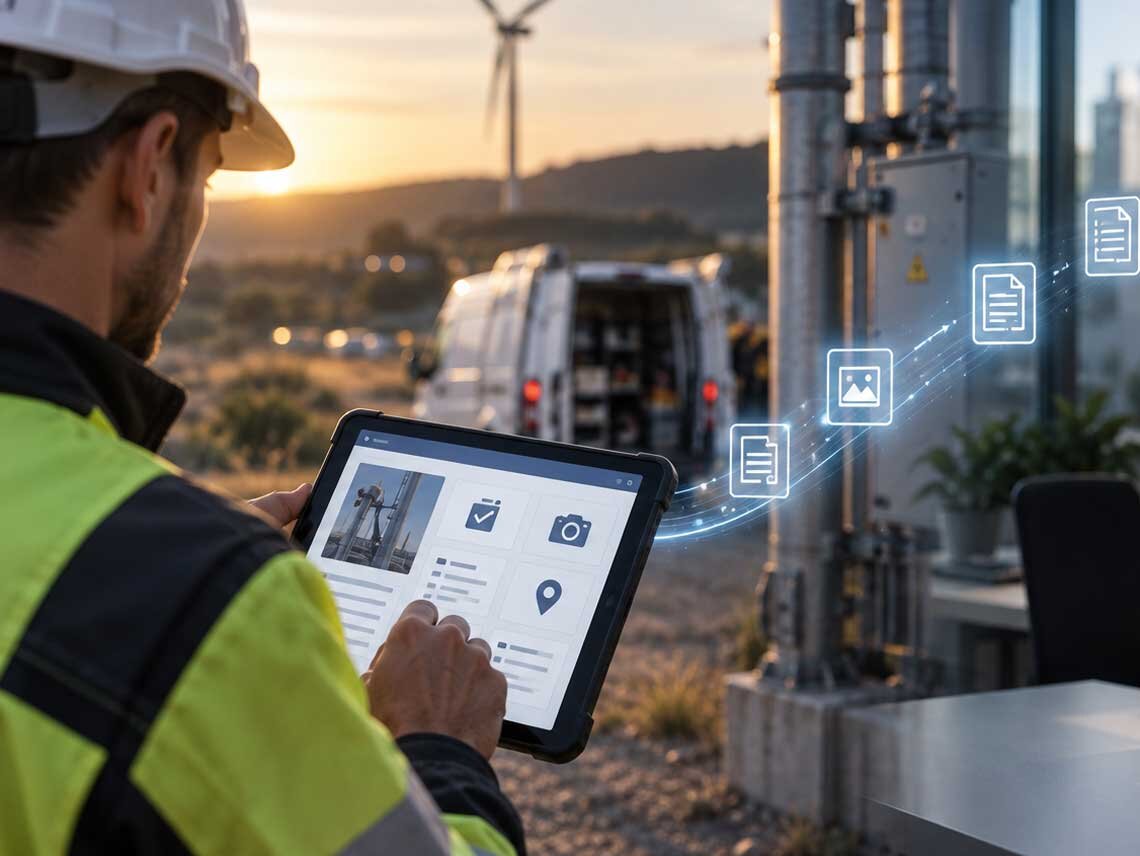
If the answer is ‘the process stops,’ the system is not prepared for the everyday reality of fieldwork. Solutions intended for fieldwork can therefore support offline processing and synchronization once the connection is restored. SIGNATUS also uses this model for processes in which documents or signature steps need to be completed without a stable connection.
Paper works offline. The problem comes afterwards
Paper has one undeniable advantage. It does not need a signal, a battery, or a system. Its weakness becomes apparent only after the fieldwork is completed. The document may:
- be lost,
- be damaged,
- remain in the car,
- reach the office late,
- contain illegible information,
- have a missing field,
- or be missing a signature or attachment.
And even if it arrives intact, further administration often follows: checking → scanning → naming → storing → data entry → further processing
Although the company has avoided the problem of internet access in the field, it has created a new problem in the back office. The broader problem of scattered, disorganized, and hard-to-find documents is also addressed in the article How to Tame the Chaos in Company Documents. As the amount of content grows, both the time needed to search and the risk of errors and lost information increase.
An offline-ready process is more than just an ‘application without internet access’
A good offline process requires the entire data lifecycle to be carefully considered. It is not only a matter of asking: ‘Can the form be opened offline?’
But also:
- which data must be placed on the user’s device in advance,
- what they can create without a connection,
- what is stored locally,
- which checks work offline,
- when the data is synchronized,
- how data conflicts are resolved,
- what the user sees during synchronization,
- when the back office receives the information.
Online-only versus offline-ready
| Situation | Online-only process | Offline-ready process |
| Stable internet connection | Works without problems | Works without problems |
| Weak connection | The user waits or repeats the action | The process can continue with permitted steps |
| Complete outage | The process stops | Data can be stored locally |
| Signature or confirmation | May be unavailable | Can be part of an offline scenario depending on the type of process |
| Data submission | Immediate or not at all | Synchronization once the connection is restored |
| Backup paper process | Often required | The need for it can be reduced |
| Back-office data currency | Depends on internet availability | Data becomes available after synchronization |
Offline mode is therefore not merely a technical feature. It is process design for situations in which connectivity is not guaranteed.
The greatest benefit emerges only beyond the field
A company can digitize a service report, but if a back-office employee then manually enters it into the ERP system, only half of the process has been automated. The goal should be the following flow: customer / event → digital form → data validation → confirmation or signature → synchronization → workflow → company system → next action
Example:
The technician completes the job.
↓
They add the data and photographs.
↓
The customer confirms the report.
↓
The data is synchronized once the connection is restored.
↓
The back office receives the complete record.
↓
The document is stored and the data moves on.
↓
Invoicing can begin.
This approach transforms the process from a digital form into an end-to-end digitized workflow. A practical example of a similar principle can also be seen in the digitization of deliveries using SIGNATUS. Documents were sent directly to couriers’ tablets, signed upon handover, and then passed into the systems of other participants in the process.
Where digital field processes can be applied
This is not limited to couriers or service technicians.
Typical scenarios
Service and maintenance
The technician needs to complete a report, record the condition of the equipment, attach photographs, and obtain the customer’s confirmation.
Sales
A sales representative can prepare an order on site, add data, and initiate an approval or signature process.
Facility management
An employee inspects the premises, records deficiencies, and creates tasks for other colleagues.
Insurance
A claims adjuster or inspector needs to capture data, documentation, and confirmations directly on site.
Real estate
Property handovers generate reports, meter readings, photographs, and signatures.
Technical checks and inspections
Data must be captured at the time of the event and then made available to other parts of the organization.
In every case, the common question is: How quickly does information from the field reach the process waiting for it?

Automate Your Business Processes with SIGNATUS
Discover how digital signing can accelerate your processes, reduce paperwork, and improve the user experience for both your employees and customers.
Contact usThe back office should not be a data-entry department
A large share of the costs of a field process may arise only after the documents are returned. Administration often:
- checks completeness,
- reads handwriting,
- fills in missing data,
- contacts the employee,
- enters data,
- tracks down a signature,
- scans the document,
- stores it.
If data is created digitally at the source, some of this work can be eliminated. This also solves another common business problem: the same data does not have to be entered repeatedly into several systems. The best data flow is generally one in which a piece of data is created once and then used further without manual re-entry.
Which metrics reveal the true state of a field process?
Digitization initiatives often track the number of electronic forms or the amount of paper saved. These are interesting indicators, but from a business perspective they are not always the most important. It may be more useful to track:
| KPI | What it shows |
| Time from task completion until data is available in the system | The actual information response time from the field |
| Time from job completion to invoicing | The field process’s impact on cash flow |
| Share of records requiring manual data entry | The level of administrative workload |
| Share of incomplete reports | The quality of data created in the field |
| Number of lost or untraceable documents | The reliability of the document flow |
| Number of processes interrupted due to connectivity | The resilience of the digital process |
| Back-office time required to process one case | The subsequent administrative workload |
| Number of follow-up contacts with the employee or customer | The quality of the data at initial capture |
One metric can reveal a great deal: How much time passes between the actual event in the field and the moment when another department can work with its data? If it takes hours or days, the company probably has room for improvement even if the field task itself is performed efficiently.
A brief checklist: Are your field processes truly digital?
| Question | YES / NO |
| Do employees use paper as a backup procedure when the internet connection is weak? | ☐ YES ☐ NO |
| Do documents reach the system only after the employee returns? | ☐ YES ☐ NO |
| Does the back office have to manually enter data from reports or forms? | ☐ YES ☐ NO |
| Does a field document sometimes go missing or become damaged or illegible? | ☐ YES ☐ NO |
| Does the digital process stop completely when the user loses connectivity? | ☐ YES ☐ NO |
| Does invoicing or another department wait for a physical document? | ☐ YES ☐ NO |
| Does the employee have to enter the same data into another system after returning? | ☐ YES ☐ NO |
| Are you unable to determine easily which field cases have not yet been synchronized or processed? | ☐ YES ☐ NO |
Assessment
| Number of YES answers | What to consider |
| 0–2 | The field process is probably well managed. There may be room for better integration or data validation. |
| 3–5 | It makes sense to map the flow of information between the field and the back office and identify steps suitable for offline digitization or automation. |
| 6 or more | Paper, connectivity, and manual data transfer probably represent systemic bottlenecks. It is advisable to assess the entire process, from the creation of data in the field to its processing in other systems. |
The checklist serves as a general guide. The result alone does not determine whether the company needs a new application, an integration, or a change to the existing process.

Three questions before digitizing a field process
Instead of starting by choosing an application, it is useful to answer three questions first.
What must the user be able to do without internet access?
Not all functions need an offline mode. However, the critical steps must be clearly defined.
Which data does the back office need as soon as possible?
Not every piece of data has the same priority. Confirmation of completion may be critical for invoicing, while another document can wait.
What should happen automatically after synchronization?
If the data is merely stored in another inbox, much of the value of digitization is lost. After synchronization, the process can, for example:
- update the case status,
- create a document,
- notify the responsible person,
- pass the data to another system,
- launch another workflow.
This is precisely how the field becomes part of a single company process instead of an isolated place from which documents subsequently have to be ‘entered into the system.’
Ensure the process continues even where internet access ends
A field process should not be reliable only when the employee has a full signal. If its result is a document, confirmation, or signature required by another department, the entire flow should be designed to continue even during a temporary loss of connectivity and, once the connection is restored, transfer the data without another round of manual work.
By combining offline work, digital forms, electronic signatures, and subsequent workflows, a process can be created that works from the point of service all the way to the back office.
Find out how to set up reliable field processes even without internet access
If field data reaches systems late, employees return to paper when the connection is lost, or the back office is waiting for documents, it is worth examining the entire process—from data collection to further processing. Our experts will help you assess which steps should be digitized, where offline mode makes sense, and how to connect fieldwork with the back office without unnecessary manual data entry.


